Choose Switch Lite for a compact handheld focused on compatible original Switch games. Choose Switch 2 when its exclusive games, larger screen, or TV play are part of your plans. In a Switch Lite vs Switch 2 decision, the right game library and play style matter more than the Coral color or a small accessory discount.
Buying and ownership guide · Updated October 11, 2026 · Nintendo Switch Lite Coral
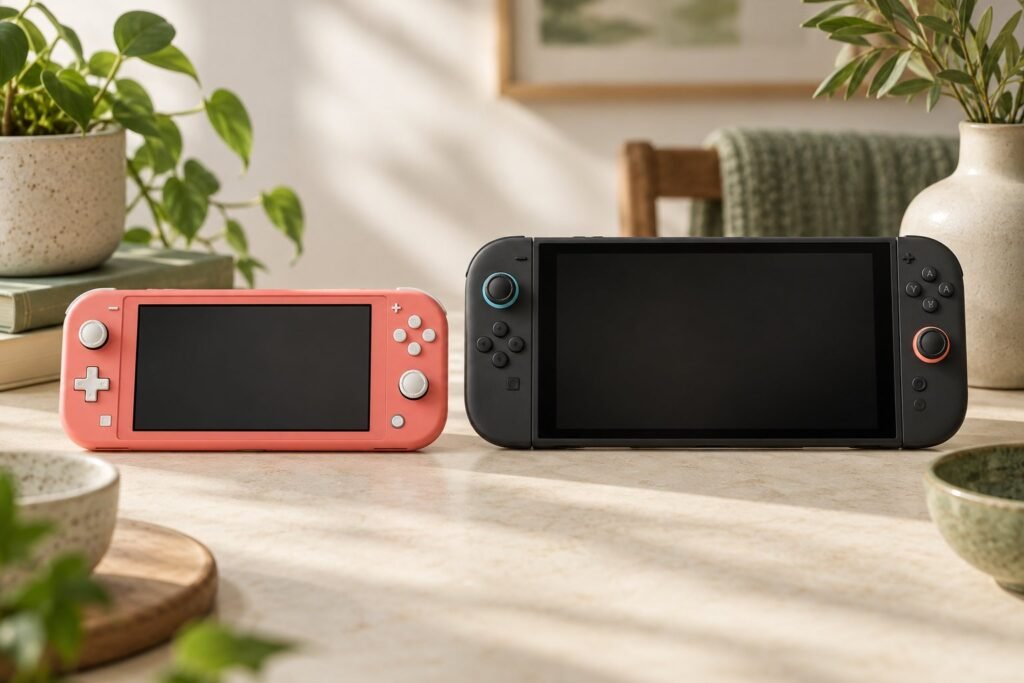
THE QUICK VERDICT
Choose your games first, then the hardware
Lite suits a clearly defined handheld budget. Switch 2 is the stronger choice when you want its newer game library and flexibility between handheld and TV play. Compare the complete purchase, including the games and storage you need.
Check Coral console offers on Amazon →See Nintendo’s Switch 2 specifications →How we assessed this: Research-based guidance using Nintendo documentation and the identified retailer listing. We have not independently tested these consoles or benchmarked memory cards. Illustrations are generic. See our affiliate disclosure.
The differences that affect everyday use
These consoles belong to different generations. Switch Lite is an original-Switch handheld with integrated controls; Switch 2 adds a newer game platform and a different set of hardware capabilities. This guide uses published specifications, not our own performance benchmarks.
| Decision | Nintendo Switch Lite | Nintendo Switch 2 |
|---|---|---|
| TV play | No TV output | TV output through its dock |
| Screen | 5.5-inch, 1280 × 720 LCD | 7.9-inch, 1920 × 1080 LCD |
| Controls | Integrated into the console | Detachable Joy-Con 2 controllers |
| Built-in storage | 32 GB; some reserved | 256 GB; some reserved |
| Expanded game storage | Compatible microSD/HC/XC cards | microSD Express cards |
| Weight | Approximately 0.61 lb | Approximately 1.18 lb with controllers |
| Published battery range | Approximately 3–7 hours | Approximately 2–6.5 hours |
Sources: Nintendo’s Lite specifications and U.S. Switch 2 specifications. Battery ranges depend on games and use. They do not establish a winner in a matched-game endurance test.
Start with the three games you most want
Write down a short list before comparing accessories. Check the supported system and handheld mode for each exact release. If your must-have title is exclusive to Switch 2, the lower-cost handheld does not solve the same problem, however appealing its color may be.
Nintendo says Switch 2 can play compatible original Switch games, but some titles have restrictions or compatibility issues. Existing ownership is therefore useful context, not a reason to assume your entire collection works identically on the newer system. Check the titles that would determine your purchase.
The reverse direction needs care too. Switch 2-exclusive software does not run on original Switch systems. Nintendo’s guidance distinguishes Switch 2 Edition game-card exceptions; compatible original-Switch content does not give Lite the newer system’s enhancements. Read the edition’s details rather than applying a blanket rule to every package marked “Switch 2.”
Use exact names, not just franchises
A new game and an older game in the same series can require different hardware. Similarly, a base game, its DLC, and an upgrade pack are different purchases. Confirm which one is in your basket.
If your interest is Tomodachi Life: Living the Dream, its Nintendo listing identifies the Switch version and handheld mode. That is a practical example of why checking the individual game is more useful than assuming every new release requires Switch 2.
Size: smaller device or larger display?
Lite’s smaller footprint is attractive when you want something compact to carry. Switch 2 offers more screen space, which may matter for games with busy menus or small text. We would not declare either one more comfortable for every buyer without a hands-on comparison.
Nintendo lists Lite at roughly 8.2 inches wide and Switch 2 at 10.7 inches with its controllers attached. Before buying a travel case, verify the console model it is designed to hold. “For Nintendo Switch” in a case title is not enough to establish fit across Lite, OLED, and Switch 2.
For a child or someone who finds long handheld sessions uncomfortable, try holding both if possible. Consider the screen, control reach, and weight together. The illustration above is conceptual and is not a measured side-by-side photograph.
TV play changes the recommendation
If you expect to use a television, Lite is the wrong starting point. Nintendo confirms it cannot output to a TV. An adapter purchase does not turn it into a dockable model. Choose a TV-capable console rather than building a basket around a feature Lite lacks.
Do the battery ranges favor Lite?
The published ranges are useful for planning, but they cover different software and conditions. A claim that Lite always lasts longer would go beyond the evidence. We have not tested these consoles with the same game, brightness, wireless settings, and battery condition.
For travel, think about the length of your normal session and when you can recharge. A used unit’s age and battery condition add another unknown. Compare seller testing information and return terms instead of valuing an older console as though its battery were necessarily new.
Compare the full purchase, not just the console
Build two realistic baskets: each console, your chosen game, and the extras you would genuinely use. Lite may be a sensible way to spend less when the game library and handheld format already meet your needs. It becomes less compelling if you add accessories trying to imitate a different console’s role.
Storage is one common mismatch. Switch 2 requires microSD Express for expanded game storage. A conventional card bought for Lite does not become a Switch 2 game-storage card when you upgrade. Our Lite memory-card guide explains the distinction and how to choose a capacity.
If an original Switch OLED is also on your shortlist, keep it separate from Switch 2. The original Switch family comparison helps with Lite-versus-OLED features, but an OLED screen does not turn that console into the newer platform.
For a Coral purchase, check whether the offer is the standard console or a special edition with a game. The Coral bundle guide covers condition, included software, and the cost of useful extras.
Frequently asked questions
Is Switch Lite Coral more powerful than another Lite color?
No. Choose Coral for its appearance. The main Coral buying guide covers the standard model and package.
Can I use the same memory card in both?
A conventional microSD card can expand Lite’s game storage but not Switch 2’s. Nintendo says an Express card can work in an original Switch at conventional speeds. Moving a card is also not a substitute for following the correct system-transfer process.
Should I buy Lite now and upgrade later?
That depends on whether it meets a present need. Count the cost of two purchases and any accessories you would replace. Do not rely on an assumed resale value to make the first purchase look cheaper.
Which is better for a first-time buyer?
For a defined original-Switch handheld library, Lite can be enough. If the buyer wants Switch 2 exclusives or a mix of handheld and TV play, start with Switch 2 rather than planning around Lite’s limitations.
Our recommendation
Buy Lite when its compact handheld format and compatible original-Switch games already satisfy your plan. Buy Switch 2 when you want its exclusive releases or TV flexibility. Confirm your must-have games and compare the complete basket before deciding how much to spend.
Sources and product checks
- Nintendo: Switch Lite technical specifications
- Nintendo: U.S. Switch 2 technical specifications
- Nintendo: handheld-mode and controller compatibility
- Nintendo Support: original Switch games on Switch 2
- Nintendo Support: Switch 2 game-card compatibility and Edition exceptions
- Nintendo Support: microSD and microSD Express compatibility
- Nintendo: original Switch family comparison
- Nintendo: Tomodachi Life: Living the Dream game and play modes
Sources reviewed October 11, 2026. Confirm the selected console, edition, game compatibility, package contents, seller terms, and current checkout total before ordering.