Fiverr does not present the finished Logo Maker download as free. You can work on a draft before paying, but the downloadable logo comes through a paid package. After that decision, the important question is which file suits your website, social profile, or print job.
Free Trials / Free preview and drafting · Updated October 11, 2026 · Fiverr Logo Maker
THE QUICK VERDICT
Choose the file around its destination
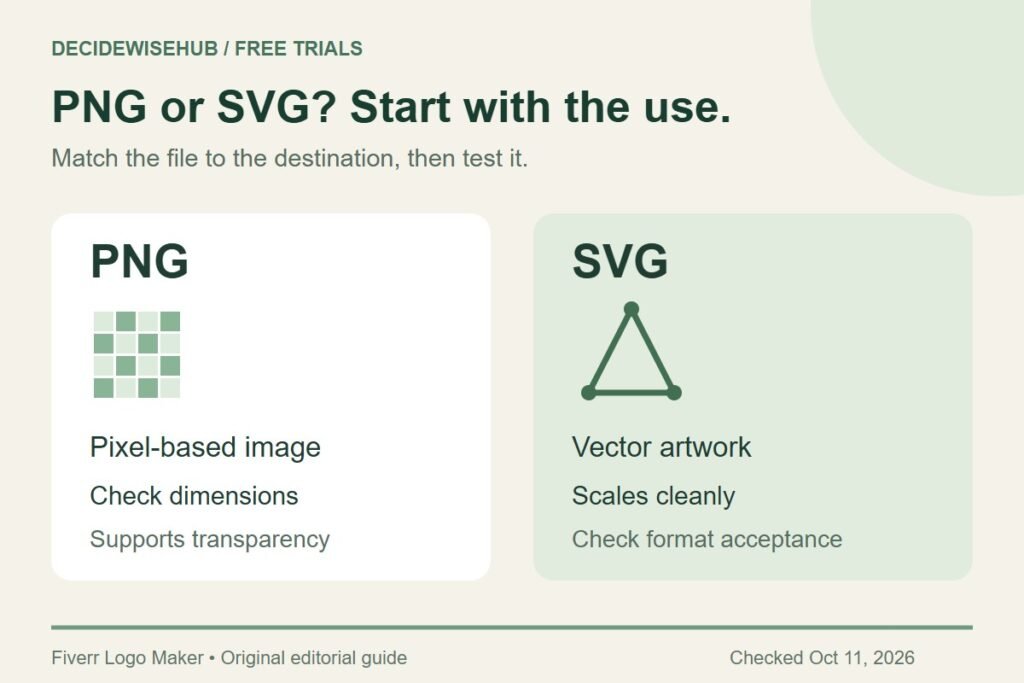
A transparent PNG is useful for many image uploads, while SVG serves vector workflows and flexible scaling. Confirm the recipient’s requirements before selecting a package or converting files.
Explore the free logo preview →How we assessed this: Research-based guidance checked against Fiverr documentation. We have not completed a test purchase. Graphics are original editorial diagrams, not Fiverr screenshots. See our affiliate disclosure.
Can you get the final logo download for free?
Fiverr separates free creation and customization from purchasing the downloadable design. A preview on your screen does not mean you have bought the finished asset. For the broader offer, see our free-preview explanation and Fiverr’s own description.
If your budget for the finished asset is zero, settle that requirement before spending a long session refining a logo here. You may still find the drafting exercise useful, but you should not base a launch plan on receiving a file the offer does not promise.
A screenshot is also a poor production substitute: it captures the displayed size and may include interface elements or a background you do not want. It does not turn a preview into a purchased download. Keep the exploration stage and the final-file decision separate.
PNG versus SVG: which do you need?
PNG stores a pixel-based image and supports transparency. SVG describes vector artwork that can scale cleanly. JPEG does not preserve an alpha transparency channel. These format properties are explained in MDN’s image-format guide.
| Format | Useful when | Check before sending |
|---|---|---|
| PNG | A site or profile asks for an image upload; you need a transparent background. | Pixel dimensions and file-size limit. |
| SVG | A designer or production workflow asks for vector artwork. | Whether the recipient accepts SVG and can use the file. |
| JPEG | A destination explicitly requests JPEG. | The chosen background; transparency will not remain. |
Think of the destination first. If a website asks for an image of a particular width, a file with a much larger pixel count can be unnecessary. If a printer asks for vector artwork, a larger screenshot still does not answer that request. Send the specification back to the person preparing the files instead of choosing by filename alone.
Fiverr’s pricing page puts SVG in Professional and Unlimited, while Essential provides PNG. Use the package comparison to check the purchase decision, and confirm the current contents on Fiverr.
What does a transparent background change?
Transparency lets the underlying page or layout show around the mark. It does not guarantee that the logo will be readable against every color. A dark wordmark may work on a pale header and disappear on a dark one. Evaluate the actual contrast where the image will sit.
A checkerboard in an image viewer often represents transparent areas. Do not assume it is printed into the artwork merely because the viewer displays it. Conversely, a white rectangle around an image may be an actual background or simply the viewer’s display area. Compare the file against a colored surface before deciding it is wrong.
How to retrieve and check purchased files
Fiverr says to choose Download Assets on the post-order page to obtain a ZIP archive. You can return via the order email or My Designs; extract the archive on a computer. Source: Fiverr’s download instructions.
- Keep the original archive. Store it somewhere you can find again before creating working copies.
- Open the extracted folder. Check the actual files rather than relying on an archive preview.
- Inspect the chosen version. Confirm the name, layout, and colors match the approved design.
- Match the destination. Select the file based on the recipient’s requested format and dimensions.
- Test the placement. Review the result on the actual page, document, or supplier proof.
Fiverr notes that delivered PNG dimensions vary with the layout. Inspect the file you receive instead of assuming a single universal width. Source: Fiverr file guidance.
Common file problems and sensible next checks
The logo looks blurry
Check whether the application enlarged a small image, whether you uploaded a screenshot, or whether an earlier export reduced the dimensions. Return to the original asset and compare it at the intended display size. Repeatedly saving a small file under new names will not restore missing detail.
The upload rejects SVG
Read the destination’s accepted-file list. Some upload forms accept only selected raster formats. Ask the site owner or developer which approved workflow to use; a format rejection is not evidence that the logo itself is broken. For an ordinary profile upload, you may simply need the appropriate PNG version.
The background looks wrong
Confirm that you selected the transparent version rather than the version with a background. Check the actual placement against both light and dark colors. If you convert to JPEG, choose a deliberate background and keep the original transparent file separately.
The printer asks for something else
Forward the printer’s precise request to whoever is preparing the job. A file type is only one part of production: the intended size, color treatment, and finishing process may also matter. Ask for a proof before approving a run of physical materials.
Keep the original separate from working copies
Create an original-assets folder and a separate folder for website or social exports. Give working copies descriptive names that include their intended destination. This makes it less likely that a compressed profile image becomes the source for a later print job.
Write a short handoff note with the approved business wording, selected version, and intended background. Send the relevant original file plus that note to a designer or supplier. Avoid sending a random collection of near-identical exports and asking them to guess which one is final.
If the design itself is unsettled, return to the draft-review guide. File conversion cannot fix an unreadable name or a layout that does not fit the job.
Frequently asked questions
Is PNG worse than SVG?
No. They serve different workflows. Use the format the destination accepts and the task requires. A correctly sized PNG can be exactly what an image-upload form needs.
Does renaming a PNG to .svg make it a vector file?
No. A filename change does not change the image’s underlying representation. Start from the appropriate source file or ask a designer about a proper conversion workflow.
Should I delete the ZIP after uploading my logo?
Keep an untouched copy with your order records. A later redesign or a new supplier may need an original asset you did not use for the first upload.
What should I check before ordering?
Confirm the approved design, the required file format, the package contents, and the current usage terms. That is simpler than discovering a missing requirement during a website launch or print deadline.
Our recommendation
Confirm the download cost before committing to the tool, then match the purchased file to its destination. Keep untouched originals, test real placements, and ask suppliers for precise requirements.
Sources and offer checks
- Fiverr: free creation and customization, followed by paid download
- Fiverr: branding packages and listed US-dollar prices
- Fiverr Help Center: client workflow, files, revisions, and license limits
- MDN: PNG, JPEG, and SVG image formats
Sources reviewed October 11, 2026. Confirm the current package, file contents, usage terms, currency, and checkout total before purchasing.