The AirTag 2 vs AirTag 1 decision depends on which finding improvement you will use. Consider the second generation for easier nearby finding on supported devices. Keep a working original when it already helps you locate the item and replacing it would not solve a specific problem.
U.S. buying guide · Updated October 10, 2026 · AirTag, second generation
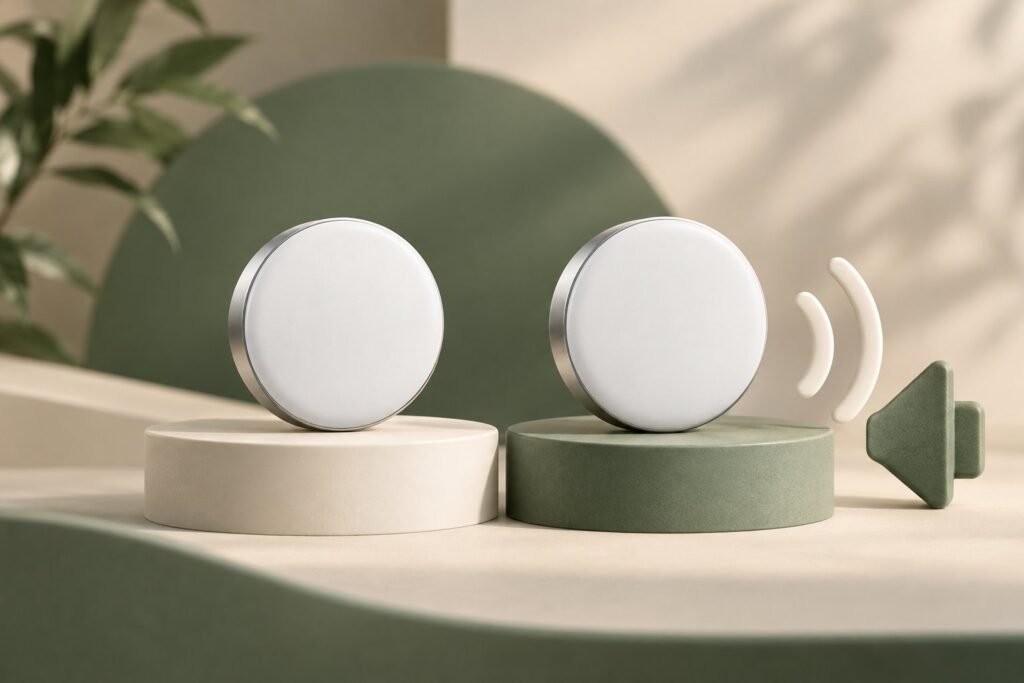
THE QUICK VERDICT
Upgrade the item that needs better finding, then reassess the rest
The newer model adds documented finding improvements while retaining the same physical size. A selective replacement can make more sense than changing every tracker. Verify phone and watch support before assigning value to the upgrade.
Check the AirTag (2nd generation) listing on Amazon →How we assessed this: Research-based buying advice using Apple documentation and the supplied Amazon listing. We have not tested these trackers. Amazon shopping links currently have no affiliate tracking. See our affiliate disclosure.
For your first tracker purchase, start with our AirTag 2 buying guide for keys and luggage. This page focuses on choosing between the original and second generation, including whether an existing owner should spend money replacing a tracker.
AirTag 2nd gen vs 1st gen: the meaningful differences
| Buying question | Original AirTag | AirTag, second generation |
|---|---|---|
| Introduction | 2021 | 2026 |
| Ultra Wideband hardware | Apple U1 | Second-generation chip |
| Expanded nearby range | Reference model for Apple’s comparison | Up to 50% farther Precision Finding, subject to device and region requirements |
| Speaker | Original built-in speaker | Apple claims 50% louder sound and a new chime |
| Directional finding on Apple Watch | Not supported in Apple’s current AirTag watch guide | Supported on qualifying watches and software |
| Diameter and height | 31.9 mm by 8.0 mm | 31.9 mm by 8.0 mm |
| Battery type | Replaceable CR2032 | Replaceable CR2032 |
Sources: Apple’s 2026 announcement, original AirTag specifications, second-generation specifications, and current Apple Watch finding instructions. The range and loudness percentages describe Apple’s comparison with the previous model, rather than a result we measured.
Does the improved range solve your finding problem?
Separate two frustrations: searching for something nearby and waiting for a distant item to be detected. The upgraded nearby finding features address the first. If your suitcase has not been detected recently, a nearby range improvement is not evidence that it will now send a continuous remote position.
For a tracker on keys, think about the places where searches become difficult. A buried item, a quiet chime you struggle to hear, or difficulty getting directional guidance could make the newer model more interesting. Write down that problem before deciding that a percentage improvement deserves a particular premium.
A range claim is not a fixed distance
The actual environment and supported hardware matter. Avoid turning a relative improvement into a guaranteed number of feet through walls, bags, or furniture. This guide does not establish a universal maximum range for either tracker.
The expanded-range specification names iPhone Air and iPhone 15 or later, excluding iPhone 16e and iPhone 17e, with regional availability limits. If you have an older iPhone, use our AirTag 2 compatibility checklist before paying for that feature.
Apple Watch support can be a practical reason to upgrade
Apple’s current watch instructions require a second-generation AirTag, Apple Watch Series 9 or later or Ultra 2 or later, and watchOS 26.2.1 or later for Precision Finding. Apple Watch SE is excluded. Merely seeing an item on a watch map is a different capability.
That can change the buying decision for someone who wants to look for keys from the wrist. It has less value if you normally use your phone or your watch does not meet the requirements. Check both pieces of hardware; owning a newer tracker alone does not add the required watch support.
Will your original AirTag holders fit the new model?
Apple says existing AirTag accessories remain compatible because the form factor is unchanged. If you already have a suitable holder, there is no automatic need to buy a replacement just because you change generations.
Still inspect the holder you actually own. A worn attachment or loose closure deserves attention regardless of the tracker inside it. The relevant accessory question is whether it securely suits your item, not whether a shop sells a newly labeled version.
For a first-time purchase, include the required holder in both baskets. For an upgrade, include only accessories you need to replace. This prevents an unnecessary accessory bundle from distorting the comparison.
Calculate the cost of replacing a working tracker
Use the actual delivered cost of the new tracker and needed accessories. Subtract an old tracker’s resale value only if you realistically plan to sell it. Moving an original tracker to another useful belonging may create value, but it does not reduce the cash you spend today.
Illustrative upgrade example, not an offer
If one replacement costs $25 and you reuse the holder, the cash upgrade cost is $25. Replacing four at that same single-unit price would cost $100. Ask whether all four locations need the improvement or whether replacing only your daily key tracker solves the main problem.
If you were already planning to tag an additional item, buying a new-generation tracker for your keys and moving the old one to the new item can be a practical allocation. If the extra item has no real need for a tracker, calling that move an upgrade benefit does not make the purchase more useful.
Buying neither model yet creates a different comparison. A reliable original-generation offer may be worth considering at a meaningful saving, especially when your supported features and intended use are modest. Use our pack and deal checklist to compare like-for-like conditions.
Who should upgrade, keep the original, or compare both?
- Consider AirTag 2: a documented finding improvement addresses a problem you have, and your phone or watch supports it.
- Keep the original: it is working, its finding behavior is adequate, and the newer feature would rarely be used.
- Replace selectively: one item is harder to find than the others.
- Compare both offers: you own neither and can verify the generation, condition, compatibility, and complete price.
AirTag generation comparison questions
Is AirTag 2 automatically worth replacing a working AirTag?
No. The useful question is whether a supported improvement makes a recurring search easier enough to justify the replacement cost.
Does the newer generation guarantee faster luggage updates?
This guide does not establish that. Nearby finding improvements and distant Find My detections are separate issues.
Do you need to replace an old holder when you upgrade?
Apple says existing accessories fit. Reuse a holder that remains secure and suitable for the item.
Our recommendation
Keep original AirTags that already do their job. Consider a second-generation replacement where supported nearby finding or watch guidance addresses a real difficulty. Check one replacement’s value before paying to change the whole set.
Sources and product checks
- Apple: second-generation finding claims and accessory fit
- Apple Support: second-generation specifications and expanded-range requirements
- Apple Support: original specifications
- Apple Support: directional finding on supported watches
Sources reviewed October 10, 2026. Prices are dated references; confirm current generation, selected pack, seller terms, software, and regional feature availability before ordering.