Choose a Fiverr Logo Maker package around the files you need and the changes you expect to make after purchase. The cheapest option can be enough for a settled digital logo; an upgrade makes more sense when a specific output or editing need justifies it.
Free Trials / Free preview and drafting · Updated October 11, 2026 · Fiverr Logo Maker
THE QUICK VERDICT
Buy the package that covers a known requirement
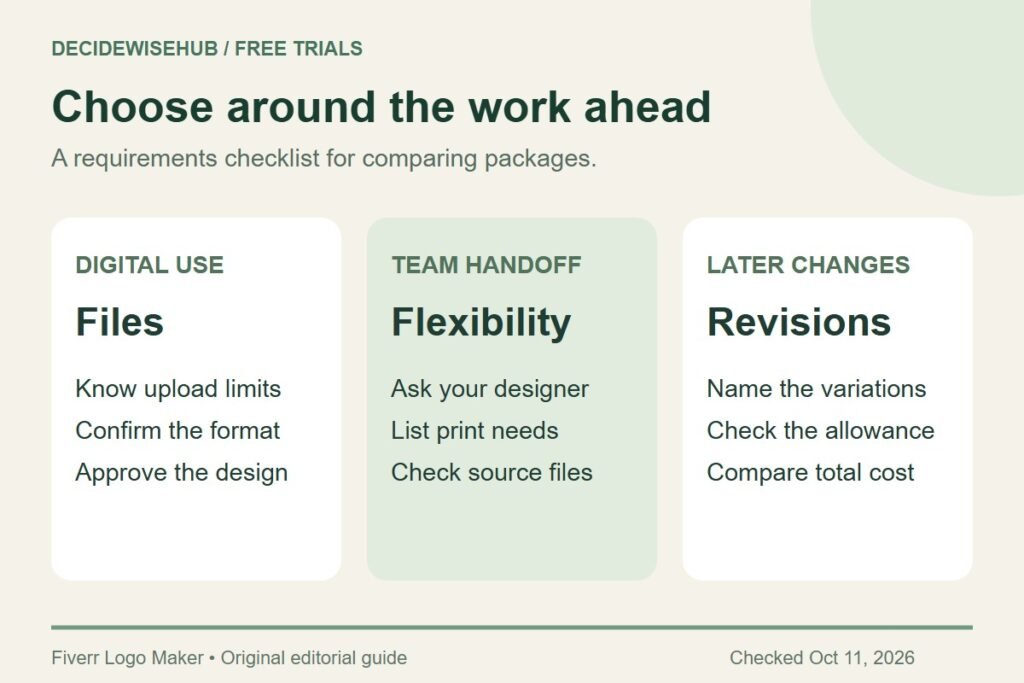
Approve the design first. Then compare your website, print, and revision needs against the package contents. Extra deliverables are valuable only if you expect to use them.
Compare current Fiverr packages →How we assessed this: Research-based guidance checked against Fiverr documentation. We have not completed a test purchase. Graphics are original editorial diagrams, not Fiverr screenshots. See our affiliate disclosure.
What does Fiverr Logo Maker cost?
The official pricing page lists the following US-dollar package prices, checked October 11, 2026. Confirm your displayed currency and final checkout total before paying; this table is a dated reference, not a guaranteed total for every buyer. Source: Fiverr pricing.
| Package | Listed price | Main distinction |
|---|---|---|
| Essential | US$30 | PNG files, including transparent versions; no included post-purchase revision. |
| Professional | US$60 | Adds SVG, brand guidelines, social assets, and one additional revision. |
| Unlimited | US$90 | Professional files plus unlimited editor revisions and downloads for the logo. |
These are logo-package choices. Do not read them as a promise that a freelancer will personally redesign the artwork for you, or that the highest tier supplies unrelated new logo projects. For the free stage before purchase, see our Fiverr Logo Maker preview guide.
Which package should you choose?
Consider Essential when your needs are settled
Start here if your requirements list is short and the listed files meet it. For example, a solo consultant may already know the website’s upload requirements, have approved a final layout, and have no planned print project. The right question is whether the delivered files solve those uses.
Do not select the entry package solely because it has the lowest number. If a supplier has explicitly requested a different format, postponing that requirement can create extra work later. Ask the supplier first; a clear answer is more valuable than guessing which package looks economical.
Consider Professional when the extra files have a job
A business preparing several launch materials may value a more flexible handoff. Think about who will receive the logo, what they will do with it, and whether the same layout needs to appear across different sizes and backgrounds. Our PNG versus SVG guide explains the practical file difference.
The stronger reason to choose a middle package is a named requirement: your designer requests a vector file, or your team needs a consistent set of brand references. The weaker reason is that a feature list looks longer. Cross out anything you cannot connect to an actual task.
Consider Unlimited when later variations are likely
List the changes you already anticipate: a seasonal color treatment, a different layout for a narrow space, or several approved versions of the same logo. If you cannot name any, do not assume a more open-ended editing allowance automatically makes the most expensive package better value.
Also separate uncertainty from genuine revision needs. If nobody likes the underlying design yet, additional editing capacity is not the first problem to solve. Return to the drafting and review checklist before buying.
Compare the price difference with your actual needs
At the listed prices, moving from Essential to Professional adds US$30, and moving from Professional to Unlimited adds another US$30. These are simple differences between the advertised package prices, before any checkout adjustments.
Imagine two buyers. One has approved a logo for a single booking page and knows the page accepts the required image file. The other is coordinating a website, printed signage, and future layout changes. A useful recommendation should not automatically send both buyers to the same tier.
For the first buyer, unnecessary extras compete with the rest of a small launch budget. For the second, the cheapest package may fail a requirement already identified by a supplier. Write the requirement beside the extra cost. If that line stays blank, the upgrade has not yet earned a place in the budget.
| Requirement | Question to answer |
|---|---|
| Website upload | What formats, dimensions, and file-size limits does the site accept? |
| Print job | What file does the actual printer request? |
| Team handoff | Who needs the files, and in what editable form? |
| Later changes | Which variations are genuinely planned? |
| Budget | What is the final total shown for this order? |
What about changes after purchase?
Fiverr’s Help Center lists additional revisions at US$15 for Essential and Professional, and says Logo Maker revisions are made in the editor rather than by the freelancer. It also says completed logo orders are not eligible for cancellation. Check the current terms before committing. Source: Fiverr client guidance.
Treat that as a reason to review carefully, not as pressure to buy more editing capacity. Proofread the business name slowly, check the intended slogan, and make sure everyone approving the design is looking at the same version. Preventing a needless change is better than budgeting for it.
If you discover an issue after ordering, identify whether it concerns wording, layout, a missing file, or the wrong expectations about the product. Keep the order details handy and use the appropriate help route. Do not assume that buying another package is always the solution.
A short checkout checklist
- The logo shown is the version you approved.
- The business name and slogan are correct.
- The selected package covers your required files.
- You understand which later changes are included.
- You have read the usage terms for your intended project.
- The currency, total, and order details match your budget.
Keep the receipt and original asset download together after purchase. This makes it easier to answer a future designer’s question about what you bought, without relying on memory or a file that has already been resized several times.
Frequently asked questions
Is the most expensive package always the best?
No. It should solve a requirement you can describe. An approved, stable design with modest output needs calls for a different decision from a project expecting repeated variations.
Should I buy now because I found a promo-code page?
Verify any offer in Fiverr’s own checkout and compare the final total. We have not verified a current promotional code, and a discount is not a reason to order an unfinished design.
Are these prices the same as hiring a Fiverr designer?
This comparison concerns Logo Maker packages. A separately commissioned design is a different purchase with its own deliverables, price, and agreement.
What if I cannot decide between two packages?
Ask what the higher tier adds that you will use. If the answer is a file requirement, verify it with the recipient. If it is future changes, name the changes before assigning value to them.
Our recommendation
Choose the least expensive package that meets your confirmed file and revision requirements. Settle the logo before checkout, and treat displayed prices as a reference until you see the final total.
Sources and offer checks
- Fiverr: branding packages and listed US-dollar prices
- Fiverr Help Center: client workflow, files, revisions, and license limits
Sources reviewed October 11, 2026. Confirm the current package, file contents, usage terms, currency, and checkout total before purchasing.