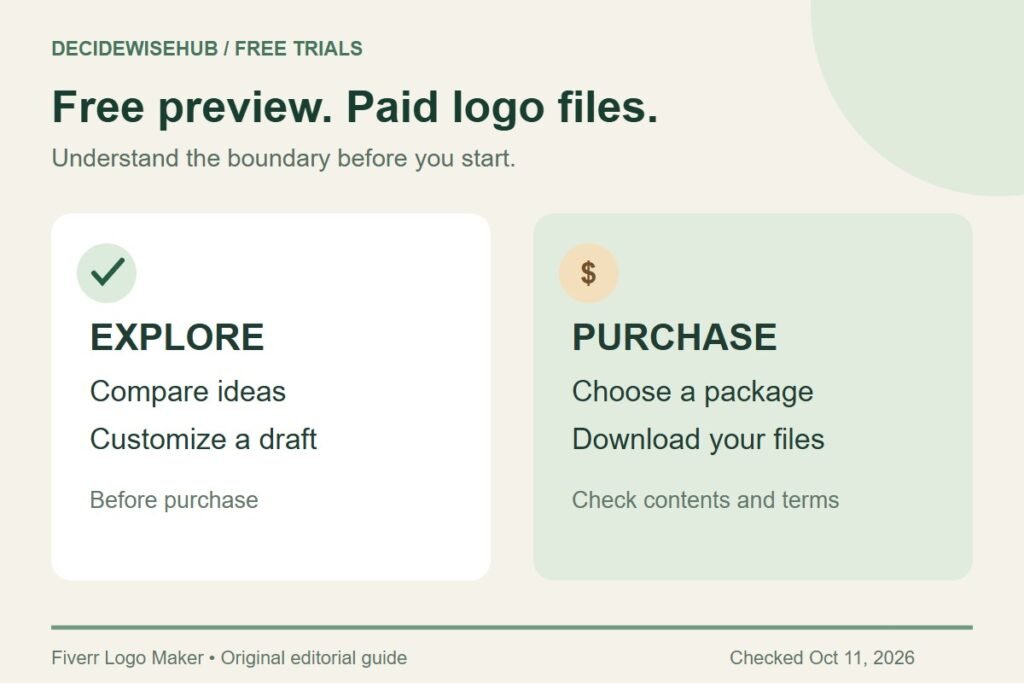
Fiverr Logo Maker is free to explore and customize, but buying the finished logo files costs money. It can help you compare ideas before committing to a design. Treat it as a free preview and drafting tool when browsing our Free Trials section.
Free Trials / Free preview and drafting · Updated October 11, 2026 · Fiverr Logo Maker
THE QUICK VERDICT
Useful for trying ideas before you pay
Start with a clear business name and a few practical design requirements. Use the preview to decide whether you like a direction; choose a paid package only when the design, files, and usage terms suit your plans.
Explore the free logo preview →How we assessed this: Research-based guidance checked against Fiverr documentation. We have not completed a test purchase. Graphics are original editorial diagrams, not Fiverr screenshots. See our affiliate disclosure.
What can you do for free?
Fiverr’s Logo Maker page says creating and customizing a logo is free. Downloading your chosen design follows a paid branding-package purchase. The offer is useful for exploring a visual direction, but the preview alone is not a finished asset you can put into your website’s media library.
| Your question | Useful result from the preview |
|---|---|
| Does this style suit my business? | A shortlist of directions you want to keep or reject. |
| Can people read the name easily? | A draft you can assess without decorative distractions. |
| Will the slogan make the design crowded? | A decision about whether to include it. |
| Am I ready to order? | A file checklist and an approved version, before checkout. |
A preview has done its job even if you decide not to buy. You may discover that the name is too long for the layout you pictured, that an elaborate symbol feels wrong, or that the team has different expectations. Solving those disagreements before purchase is more useful than collecting dozens of variations without choosing a direction.
Who should try the free preview?
A good place to start
- You have a name and want to explore an initial visual identity.
- You prefer making design choices yourself.
- You want to compare a few ideas before setting a budget.
- Your first uses are clear, such as a website header and a profile picture.
Consider a different approach
- You need a bespoke illustration with detailed art direction.
- Your name or positioning is still changing every day.
- You want a designer to lead a wider branding project.
- Exclusive artwork and trademark plans are essential requirements.
For a simple launch, begin with the places customers will actually see your name. A local service business might need an appointment page and an invoice header. A shop might need a profile image and a packaging label. Those are different design jobs, even when both owners ask for a modern logo.
Write down the first two uses and the smallest space available. This gives you a reason to reject a design that looks attractive in a large preview but becomes hard to read in the real setting. You do not need to decide every future brand application during this first session.
What does AI do in Fiverr Logo Maker?
Fiverr describes an AI-backed system built around designs by its designers. Your business details and preferences help it present and adapt options. That is different from commissioning someone to create an exclusive symbol from a detailed custom brief. Fiverr explains the approach here.
Judge the result by how it serves your business. An AI label does not tell you whether the name is readable, the design fits the audience, or the layout is convenient for your website. Keep those checks in your own hands. Our free-draft walkthrough includes a short brief and a practical review worksheet.
Make a buying decision before opening checkout
Choose one decision-maker and gather feedback on the same version. Ask a colleague which word they read first and what kind of business they think the design represents. Those answers are easier to act on than a general request to say whether they like it.
Separate design approval from package selection. First decide whether you want the logo. Then list the files and later changes you expect to need. A larger package cannot rescue an unsuitable symbol, and a pleasing preview cannot tell you whether the cheapest package contains a file your printer requires.
- Approve the wording. Check the name, capitalization, and any slogan.
- Approve the direction. Decide on the symbol, font, and color treatment together.
- Identify the output. Ask where the logo will be uploaded or printed.
- Check the package. Read our Fiverr Logo Maker pricing comparison.
- Check the files. Use the PNG, SVG, and download guide if those labels are unfamiliar.
Important limits before using the offer
Fiverr’s client guidance says its customization editor is desktop-only. It also describes the purchased design license as non-exclusive and prohibits reselling, trademarking, or claiming exclusive ownership of the design. If those rights matter to your project, resolve the requirement before buying. Read the current client guidance.
This guide does not promise a seven-day or thirty-day trial, a free final download, or a credit-card-free path through every account screen. Follow the current offer shown to you. In particular, distinguish exploring a draft from completing a paid order; do not purchase just to see whether the files might be useful.
A free preview is also a reasonable place to stop while you finish other launch decisions. Agree on the business name and intended audience before ordering printed materials. That sequence keeps an early design experiment from becoming a costly commitment.
Frequently asked questions
Is Fiverr Logo Maker a free trial?
It fits a try-before-you-buy approach: free creation and customization, followed by paid download. We label it as free preview and drafting rather than promising a timed trial. Source: Fiverr.
Is it worth trying if I might hire a designer later?
Yes, as a way to clarify preferences. Record what you like about a layout or mood, then explain those needs in your own brief. An existing design should not become an instruction to copy someone else’s artwork.
Should I choose the first design I like?
Compare it with two clearly different directions, using the same name and intended uses. If it still wins for readability and fit, you have a reason to keep it beyond first impressions.
Where should I go next?
Use the drafting guide if you need an idea, the pricing guide if your design is ready, and the download guide if a website or printer has asked for a particular file.
Our recommendation
Use the free stage to narrow the design and settle the wording. Pay only once you know which files and rights your project requires. A useful shortlist is a successful outcome even if you decide to commission a different design later.
Sources and offer checks
- Fiverr: free creation and customization, followed by paid download
- Fiverr Help Center: client workflow, files, revisions, and license limits
Sources reviewed October 11, 2026. Confirm the current package, file contents, usage terms, currency, and checkout total before purchasing.