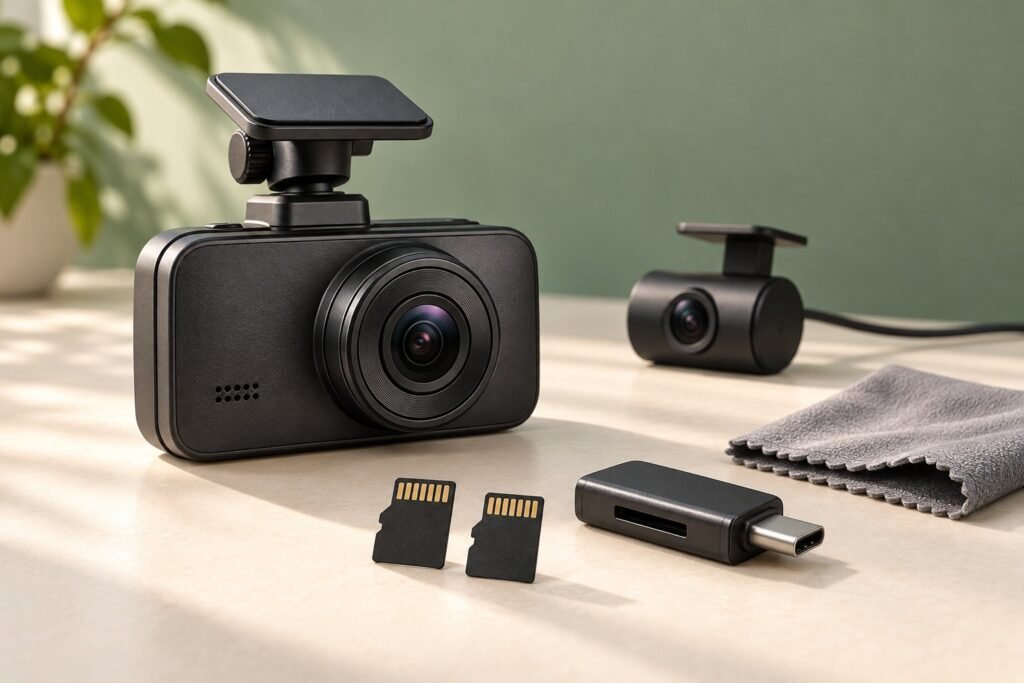
Start with the included card before buying a larger ROVE R2-4K DUAL SD card. Upgrade capacity when you need a longer recording history, and confirm the supported card size for your camera version. The biggest card is useful only if it works reliably and solves a storage need.
U.S. buying guide · Updated October 10, 2026 · ROVE R2-4K DUAL
THE QUICK VERDICT
Use the included card first; increase capacity with a clear reason
For a replacement, check speed requirements, endurance suitability, seller authenticity, and your camera version together. Card capacity alone is not a reliability rating, and a larger card does not replace saving important clips.
Check the standard DUAL package on Amazon →Check ROVE card options →How we assessed this: Research-based buying advice using ROVE documentation. We have not road-tested these cameras or independently tested their cards. Amazon links currently have no affiliate tracking. See our affiliate disclosure.
ROVE R2-4K DUAL memory-card requirements
The manufacturer’s older DUAL manual specifies Class 10/U3 or faster microSD cards and recommends its ROVE PRO or Ultimate range. Its current product page advertises an included 128GB card.
Why 512GB and 1TB both appear in advice
The older manual lists a 512GB maximum; the current product page advertises up to 1TB. Before purchasing 1TB, confirm support for your exact unit and firmware with ROVE and the current model-specific manual. We have not tested 1TB compatibility.
When choosing a replacement, consider a card intended for repeated video writing, sold by a traceable retailer. Compare the manufacturer’s stated use case and warranty as well as capacity. A fast-looking label or high advertised read speed alone is not enough to establish suitability for continuous recording.
ROVE offers both its recommended card ranges and a high-endurance range in its official accessories collection. Those are useful starting points for checking supported options; we have not independently endurance-tested them. Ask about the exact card and capacity if you want to use another brand.
128GB vs 256GB vs 512GB: choose useful capacity
| Capacity | When to consider it | What to check |
|---|---|---|
| 128GB | Start here if it comes with your package | Review how far back your actual recordings remain. |
| 256GB | You want roughly twice the space of 128GB | Compare price and supported card range. |
| 512GB | You need a longer history between downloads | Do not treat it as permanent storage for important clips. |
| 1TB | Only after confirming exact-version support | Resolve the older-manual/current-page discrepancy first. |
With the same recording settings and card usage, increasing capacity should roughly increase the time before ordinary loop footage is replaced. That is a planning estimate, not a model-specific runtime promise. Changed settings, reserved space, and protected files can affect the result.
Our advice is to buy the smallest compatible capacity that keeps a useful history for your routine. A commuter who checks clips frequently may have a different need from someone taking a long trip. Do not add a second card to the camera order simply because it appears in the retailer’s suggested extras.
How many hours will a card hold?
Measure the combined front-and-rear file size from a normal recording period on your own camera. Divide available recording space by that size per hour. Count both cameras, and use the same settings you intend to keep.
A simple illustrative calculation
If your own one-hour test produced 20GB across both cameras and 100GB was available for ordinary recording, the estimate would be 100 ÷ 20 = 5 hours. These numbers are invented to explain the calculation; they are not measured DUAL performance.
Repeat the check after changing recording settings. Also distinguish storage history from power availability. A bigger memory card cannot make an unpowered camera record while parked. Our main ROVE hardwire-kit guide covers that separate decision.
How to format the DUAL card safely
Formatting erases the card. Copy and open important clips elsewhere first, then follow ROVE’s in-camera formatting instructions while parked:
- Press OK to stop recording.
- Press MENU twice to reach System Settings.
- Scroll to Format with DOWN and press OK.
- Select the confirmation option and press OK to format.
- Exit the menu and verify that recording resumes.
ROVE recommends formatting in the camera every three months. Follow your current model instructions if labels differ. Power the camera off before inserting or removing the card, as the manual directs.
After setup, play a short front clip and a rear clip. Check the time stamp and confirm that new files are appearing. Make this a useful recording check rather than relying only on a lit screen. Our suggestion is to repeat a brief playback check periodically and before a trip.
What to do with “memory card speed too slow” or missing clips
Preserve any readable important recordings first. Check the exact card against the model’s requirements, then use the manufacturer’s formatting guidance. Record a short test and inspect both files. If the problem returns, contact ROVE with the card model, capacity, camera model, firmware version, and error wording.
Do not keep formatting a card that repeatedly fails and assume the fault has disappeared. A replacement may be appropriate, but avoid declaring the camera or the card defective from one symptom alone. A complete description helps support distinguish storage, settings, and other possible causes.
If you are comparing the cost of a new card with replacing the camera, read our DUAL vs DUAL PRO guide first. For a new order, our bundle-cost guide helps avoid paying twice for included accessories.
ROVE R2-4K DUAL SD card questions
Do I need a larger card on day one?
Our advice is to try the supplied card first, if present in your offer, and upgrade when its recording history is too short for your needs.
Can I safely assume every DUAL accepts 1TB?
No. Confirm your unit’s support before buying because the older documentation and current advertisement differ.
Will formatting save my protected clips?
Do not rely on that. Formatting erases the card; back up all important files first.
Will a larger card improve video quality?
Capacity gives you space. It does not upgrade the camera’s sensor or replace good placement and suitable recording settings.
Our recommendation
Keep the included card while it meets your needs. For a replacement or capacity increase, confirm the exact card, speed class, and camera-version limit before ordering. Back up important clips, format using the camera instructions, and verify actual recordings.
Sources and product checks
- ROVE DUAL manufacturer manual, older edition (FCCID-hosted)
- ROVE: current standard DUAL specifications and package
- ROVE Support: in-camera formatting instructions
- ROVE: official memory-card and accessory options
- ROVE: current model-specific manuals
Sources reviewed October 10, 2026. Confirm the exact model, selected package, accessory compatibility, seller terms, and current checkout price before ordering.