U.S. buying guide · Updated October 8, 2026 · Beats Solo 4 Android compatibility
Do Beats Solo 4 work with Android? Yes. Beats Solo 4 are not only for iPhone users. They support Bluetooth pairing with Android phones, and the Beats app for Android can help with setup, controls, and updates on supported devices.
This Android guide supports our main Beats Solo 4 buying guide. If you are deciding between models, read Beats Solo 4 vs Studio Pro. If your concern is noise control, see whether Beats Solo 4 have noise cancelling.
THE QUICK VERDICT
Solo 4 is a reasonable Beats pick for Android users
Buy Beats Solo 4 with Android if you want Bluetooth headphones with long battery life, wired options, and app support. Do not buy mainly for Apple-only ecosystem features unless you have confirmed they work with your exact phone.
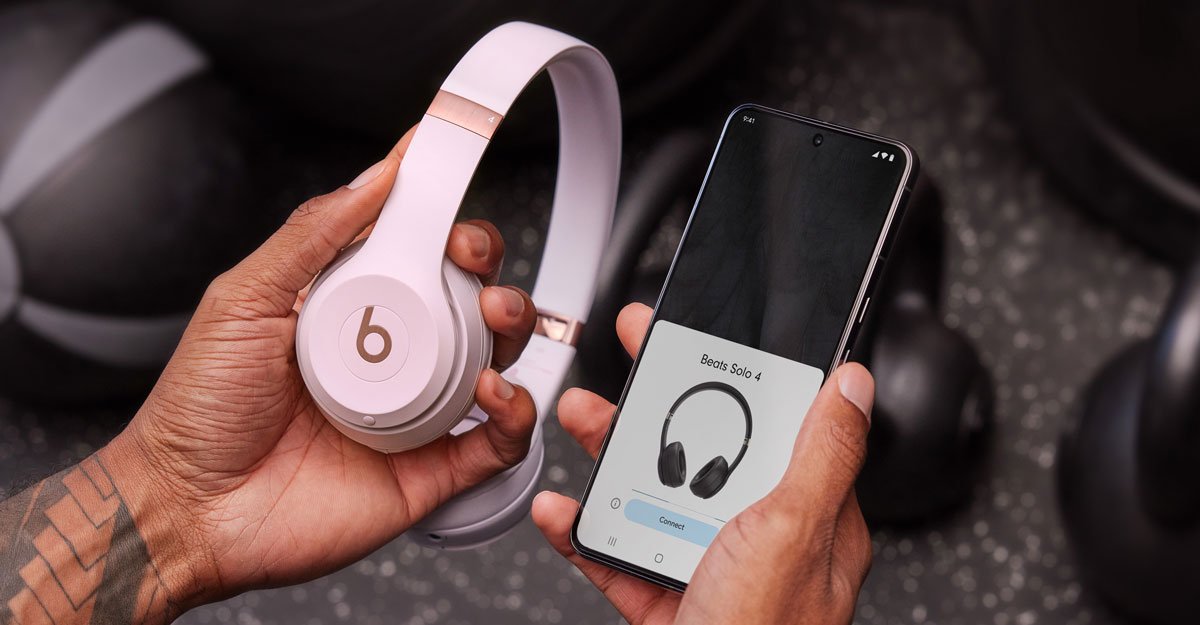
How to pair Beats Solo 4 with Android
Start with a charged pair of headphones. Put Beats Solo 4 into pairing mode, open Bluetooth settings on your Android phone, and choose the headphones from the available devices list. If the phone offers a faster pop-up flow through the Beats app, follow that prompt.
If pairing fails, turn Bluetooth off and on, restart the headphones, and remove older duplicate Beats entries from your phone. Problems like Beats Solo 4 not connecting to Android are often caused by the headphones still trying to connect to a previous phone or laptop.
Do you need the Beats app for Android?
You can use Beats Solo 4 as normal Bluetooth headphones without obsessing over the app. The app is still useful for setup, supported controls, battery status, and firmware updates. Install it if you want the smoothest Android experience.
| Need | Where to check | Why it matters |
|---|---|---|
| Pairing | Android Bluetooth settings | Basic audio connection |
| Battery status | Phone Bluetooth panel or Beats app | Avoid surprise low battery |
| Firmware updates | Beats app | Keeps support current |
| Device finding | Supported app / device account | Helps locate misplaced headphones |
What Android users should check before buying
Bluetooth playback and calls are the basics. The details to check are one-touch pairing, device-finding support, spatial audio claims, and any personalized audio features. Some marketing language applies differently across Apple and Android devices.
Also remember that Android compatibility does not add active noise cancellation. If you need ANC, read the Solo 4 noise cancelling guide before buying.
Beats Solo 4 not connecting to Android: quick fixes
- Forget the headphones in Bluetooth settings. Then pair again from scratch.
- Check whether they are connected elsewhere. Laptops and tablets can grab the connection first.
- Charge the headphones. Low battery can cause confusing connection behavior.
- Update the Beats app. App updates can improve device support.
- Restart both devices. It is boring advice, but Bluetooth bugs often clear after a restart.
How this fits the Beats Solo 4 series
- Main review: Are Beats Solo 4 worth it?
- Comparison: Beats Solo 4 vs Studio Pro
- ANC guide: do Beats Solo 4 have noise cancelling?
- Wired guide: USB-C and 3.5 mm listening
Beats Solo 4 Android FAQs
Are Beats Solo 4 compatible with Android?
Yes. Beats Solo 4 can pair with Android phones over Bluetooth, and the Beats app supports setup and management on compatible Android devices.
Can Beats Solo 4 connect to Android and iPhone?
Yes, but switching between devices may require selecting the headphones in Bluetooth settings. Keep expectations realistic if you move between ecosystems often.
Do Beats Solo 4 have an Android app?
Beats offers an Android app for supported Beats products. Use it for setup, battery checks, and updates where supported.
Do Beats Solo 4 work for phone calls on Android?
They can be used for calls through Bluetooth. Call quality depends on environment, phone, connection, and microphone performance.
Our recommendation
Android users can confidently consider Beats Solo 4 if the fit and feature set make sense. Install the Beats app, confirm the convenience features you care about, and compare alternatives if ANC or over-ear comfort is more important.
Target keywords: beats solo 4 android, beats solo 4 android app, beats solo 4 compatible with android, how to pair beats solo 4 to android, beats solo 4 not connecting to android.