Updated November 2026. This article is informational, not medical advice. Fall Detection cannot identify every fall or guarantee emergency assistance.
Quick answer: For an older adult who already uses an iPhone, the Apple Watch SE 3 is a compelling lower-cost Apple Watch option with automatic hard-fall detection, Emergency SOS and emergency-contact notifications. But the GPS + Cellular version may be the better choice when the person frequently goes out without their iPhone. Neither version replaces a professionally monitored medical-alert system.
Shopping links: Compare Apple Watch SE 3 GPS + Cellular listings on Amazon · Compare GPS models. These are Amazon search links, not claims about current prices, availability or a specific seller.
Is the Apple Watch SE 3 good for seniors with fall detection?
Yes—especially for someone who is comfortable wearing and charging a smartwatch. Apple’s built-in Fall Detection is designed to recognize a hard fall, display an alert and help connect the wearer to emergency services if they remain immobile and do not respond. SE 3 also supports emergency contacts and Medical ID. Its always-on display can make checking the time more convenient.
However, families should evaluate three practical questions before buying: Does the senior own a compatible iPhone? Will they wear and charge the watch consistently? And will they have a working calling connection when a fall happens?
How Apple Watch SE fall detection works
From fall to emergency assistance
Watch sounds an alert
About one minute
30 seconds to respond
Attempted if unanswered
Illustration of Apple’s automatic response when a hard fall is detected and the wearer remains immobile. Calling requires suitable connectivity; not all falls are detected.
- Hard-fall recognition: The watch uses its motion sensors to recognize movement consistent with a hard fall. It taps the wrist, sounds an alarm and displays an alert.
- Opportunity to respond: The wearer can indicate that they are okay or choose to contact emergency services.
- Immobility check: If the watch detects no movement for roughly one minute, it starts a loud 30-second countdown.
- Emergency call: If the countdown finishes without a response, the watch attempts to call emergency services, plays a recorded message and shares its location when available.
- Family notification: After the emergency call, the watch can message configured emergency contacts with the detected fall and location.
Important: If the watch detects movement after the fall, it waits for a response rather than automatically placing a call. Not all falls are detectable; vigorous activity can occasionally trigger a false alarm. Source: Apple Support, Manage Fall Detection.
Apple Watch SE 3 GPS vs GPS + Cellular for seniors
Quick buying tip: If the wearer routinely goes without their iPhone, compare the Cellular version first. If their iPhone is almost always nearby, the GPS version may be enough. Either way, verify emergency-calling coverage and setup.
| Consideration | SE 3 GPS | SE 3 GPS + Cellular |
|---|---|---|
| Detects hard falls | Yes | Yes |
| Calls for help with a nearby connected iPhone | Supported when connectivity requirements are met | Supported when connectivity requirements are met |
| Can connect independently to compatible cellular service | No | Yes, with supported network/setup |
| Best fit | Usually keeps the iPhone nearby | Often leaves the iPhone behind |
| Costs | Usually lower device price | Usually higher device price; cellular service may cost extra |
Both models detect a fall locally; detecting a fall and successfully calling emergency services are different things. Apple says an emergency call requires appropriate cellular connectivity or Wi-Fi calling with an internet connection through the watch or a nearby iPhone. Coverage, carrier support and configuration matter. The cellular model isn’t a guarantee of a successful call in every location. See Apple’s Emergency SOS guidance.
Does Apple Watch fall detection work without an iPhone?
Once configured, the watch can recognize a fall without the iPhone physically beside it. But an Apple Watch is not a phone-free purchase for someone who has never used an iPhone: Apple Watch setup normally requires a compatible iPhone, although supported Family Setup/Apple Watch For Your Kids arrangements may provide options for family members without their own iPhone. Check the current compatibility and setup rules before purchasing.
For an elderly relative who lives alone and doesn’t own an iPhone, a dedicated medical-alert watch may be simpler to set up and support. If the person does have an iPhone but frequently forgets to carry it, compare SE 3 GPS + Cellular with a dedicated monitored system.
Will Fall Detection automatically call 911 or notify family?
In the United States, the watch can attempt to call emergency services after a recognized hard fall followed by the required period of immobility and unanswered countdown. The call is not immediate for every fall. It may then notify emergency contacts set up in Medical ID. A family contact is not the same as a 24/7 staffed monitoring center: relatives may miss an alert. Emergency calling depends on connection availability and other conditions.
How to turn on Fall Detection on Apple Watch SE
- On the Apple Watch, open Settings > SOS > Fall Detection, or open the Watch app on its paired iPhone and choose My Watch > Emergency SOS.
- Turn on Fall Detection and choose Always On rather than workout-only detection if the goal is everyday safety.
- Keep Wrist Detection enabled: Apple notes that turning it off prevents automatic emergency calling after a detected hard fall.
- In the iPhone’s Health app, verify the wearer’s age and complete Medical ID, emergency contacts and optional emergency sharing.
- Check connectivity, comfort, volume and whether the senior understands the alert screen.
Apple says Fall Detection is generally enabled automatically when the recorded age is 55 or older, but caregivers should still verify the actual settings. Source: Apple Support, Use Fall Detection.
Battery life and day-to-day practicality
Apple rates SE 3 for up to 18 hours under its normal-use test conditions, with up to 32 hours in Low Power Mode. Real-world battery life varies. Apple also advertises charging up to 80% in about 45 minutes. For fall detection to help, the watch must be charged, worn correctly and not left on the bedside table. An easy daily charging routine may matter more than an extra fitness feature. Source: Apple Watch SE 3 specifications.
What about SE 2, Series models and more expensive Apple Watches?
Fall Detection is not exclusive to SE 3. Supported Apple Watch SE, Series 4 or later and Ultra models include Fall Detection, so buying the most expensive model is not necessary just to obtain this feature. SE 3 makes sense as a current-value choice for an iPhone user; upgrade to a more expensive model only if its other features genuinely meet a need. When comparing refurbished or older watches, check condition, battery health, software support, return policy and exact model compatibility.
Apple Watch vs Life Alert or a monitored medical-alert watch
An Apple Watch offers useful everyday features—calls, messaging, health and activity tracking—alongside fall detection. A dedicated medical-alert system may offer a staffed monitoring center, simpler controls, caregiver-focused support and different battery-life expectations, usually with a service fee. Neither category catches every fall. For someone with frequent falls, cognitive difficulties or no dependable smartphone connection, evaluate a monitored solution and discuss safety planning with their care team rather than relying on a consumer smartwatch alone.
Who should buy the Apple Watch SE 3?
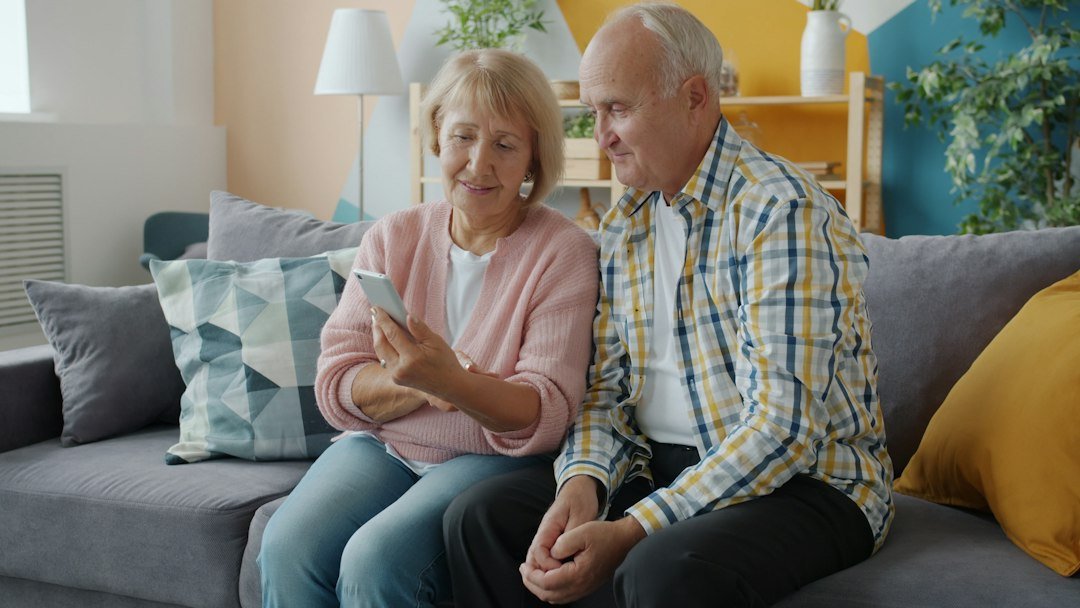
- Good fit: A senior with a compatible iPhone, a reliable charging routine and an interest in useful smartwatch features in addition to fall detection.
- Consider GPS + Cellular: Someone who walks outdoors or runs errands without carrying their iPhone; confirm carrier and emergency-calling support.
- Consider a monitored alert device instead: Someone who has no iPhone, frequently forgets to charge devices, requires 24/7 human response or has substantial fall-related safety needs.
Frequently asked questions
Does the Apple Watch SE 3 have fall detection?
Yes. Apple lists Fall Detection among the SE 3’s safety features. It recognizes certain hard falls but cannot detect all falls.
Is fall detection free on the Apple Watch SE 3?
The feature itself does not require a separate fall-detection subscription. But cellular service, if chosen, may involve carrier fees, and the watch still needs the right connection to make emergency calls.
Can I test the fall detection feature by dropping the watch?
Do not deliberately fall or drop the watch to test it; these are not reliable tests and can cause injury or damage. Verify the settings, Medical ID and calling capability instead.
Can it notify my family without calling 911?
The built-in automatic post-fall emergency-contact notification is tied to its emergency-response workflow. Do not assume it will send a standalone automatic family-only fall alert for every fall. Check Apple’s current behavior and consider additional caregiver solutions if that is a requirement.
What is the cheapest Apple Watch with fall detection?
Several older supported models include it, so the least-expensive choice changes with refurbished stock, sales and warranties. Compare total cost and device support, not just the initial price.
Bottom line
At a glance
Choose SE 3 GPS: for a senior who keeps an iPhone nearby.
Choose SE 3 Cellular: for someone who often leaves their iPhone behind, provided compatible service is available.
Choose a monitored alert device: when 24/7 staffed response matters more than smartwatch extras.
The Apple Watch SE 3 is a sensible fall-detection smartwatch for many iPhone-using seniors, especially when family members want a device that combines normal smartwatch functionality with emergency safety features. My default shopping comparison is between the SE 3 GPS and GPS + Cellular models—not between a basic SE and a costly flagship simply for fall detection. For older adults living alone with serious fall risks, consider whether a professionally monitored system is more appropriate.
Compare options: Apple Watch SE 3 Cellular on Amazon or senior medical-alert watches on Amazon. Check model compatibility, seller, price, returns and whether cellular or monitoring services cost extra.
Sources: Apple Watch SE 3 product overview; technical specifications; Fall Detection guidance; Emergency SOS guidance.