The Fire Stick HD vs 4K decision starts with your TV and the actual price gap. An HD model can be the better value for a 1080p screen you intend to keep. A compatible 4K model deserves a look when its price is close, an extra feature matters, or a TV upgrade is planned.
U.S. buying guide · Updated October 10, 2026 · Fire TV
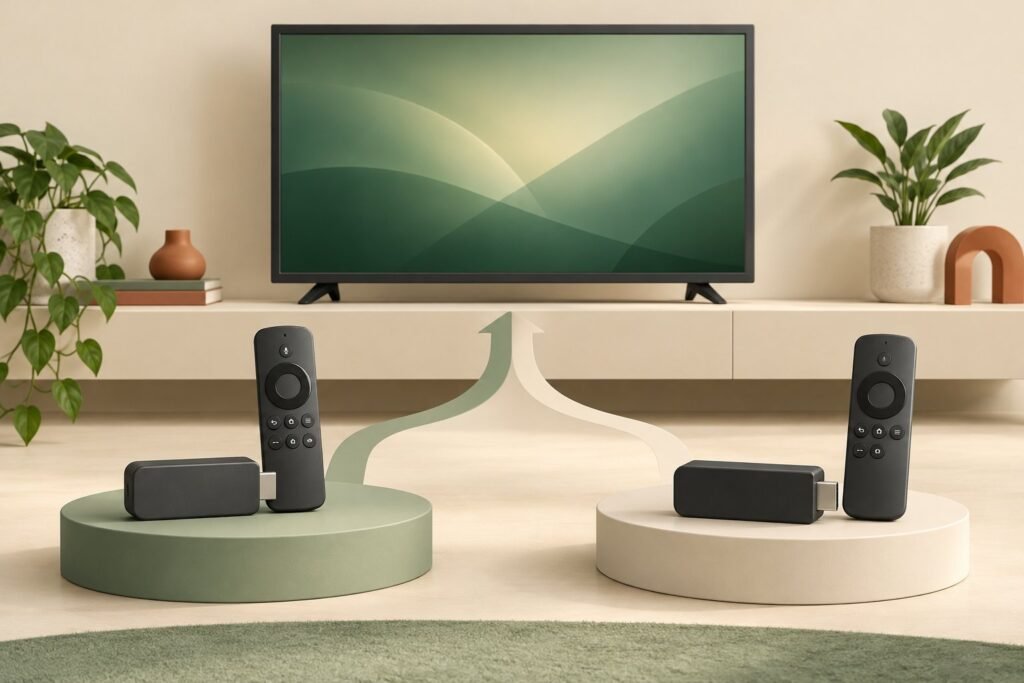
THE QUICK VERDICT
Buy HD for a clear saving; compare 4K when the gap is small
For a 1080p television, a 4K stick cannot create a native 4K picture. Choose HD when it meets your needs at a meaningful saving. Consider a compatible 4K model when you plan to upgrade the TV or will use a specific additional feature.
Check the 2026 Fire TV Stick HD listing →Check the 2026 Fire TV Stick 4K listing →How we assessed this: Research-based buying advice using Amazon’s product documentation and listings. We have not tested these devices. Amazon shopping links currently have no affiliate tracking. See our affiliate disclosure.
This comparison uses the 2026 Fire TV Stick HD and the third-generation Fire TV Stick 4K introduced in 2026. It does not treat every older 4K, Select, Plus, and Max listing as the same hardware. For a choice between platforms, see our Fire TV Stick HD vs Roku buying guide.
Fire TV Stick HD vs 4K: the main differences
| Buying question | Fire TV Stick HD, 2026 | Fire TV Stick 4K, third generation, 2026 |
|---|---|---|
| Maximum picture resolution | 1080p Full HD | 2160p 4K; also supports 1080p and 720p output |
| Operating system | Vega OS 1.1 | Vega OS 2.0 |
| Wireless networking | Wi-Fi 6 | Wi-Fi 6 |
| Listed storage | 8 GB | 8 GB |
| Power approach | Direct Power from TV USB | Direct Power from TV USB |
| Our buying emphasis | Meet an existing HD need at a lower total cost | Compare for a later 4K screen or useful model-specific extras |
Sources: Amazon’s HD device specifications, the HD product listing, and Amazon’s 2026 4K announcement. Both models use Vega OS; an older Android-based Fire TV comparison is not a reliable guide to their app support.
A shopping label such as “4K†tells you something about resolution, but it does not tell you everything about storage, menus, remote controls, or compatibility. Compare the exact generation and package rather than paying for the broadest-sounding name.
Will a 4K Fire Stick work on a 1080p TV?
The named 2026 4K model supports 1080p output. A suitable older HDMI television can therefore be a use case, subject to the display and connection requirements. If you are unsure about the television itself, use our Fire Stick on a non-smart TV compatibility checklist before choosing the hardware.
What it will not do is turn the screen into a 4K panel. Buying a 4K streamer and getting a native 4K display are separate decisions. Keep that distinction in mind if the TV is a lightly used bedroom screen and you have no plans to replace it.
If an upgrade is already in your budget, buying a suitable 4K device now can avoid replacing the streamer later. Give that possibility weight only when it is a real plan. Paying more for an upgrade that might never happen can be less useful than keeping the saving today.
Do not confuse 4K, 4K Max, Plus, and Select
Amazon’s current announcement describes a simplified stick lineup of HD, 4K, and 4K Max, with other existing models available while supplies last. That makes the exact product name important when browsing sale listings.
The specifications page identifies 4K Plus (2025) as a Fire OS device, while the named 2026 HD and 4K models use Vega. An older model can have a different operating system or feature mix. Newer does not automatically settle which listing meets your particular needs.
Check the release year, the remote in the package, and the app compatibility for the model actually in your basket. If a VPN, media player, or another specialist app is essential, verify it before buying. Do not assume either that all Vega devices lack that app or that instructions for an older Fire OS model will work unchanged.
Is the 4K model automatically faster?
This article does not establish a measured speed ranking between the HD and 4K models. Similar-looking specification entries do not prove identical real-world performance, and a manufacturer comparison against another product does not answer every HD-versus-4K question.
For everyday viewing, write down the problem you want to solve: slow menus, unavailable apps, an unreliable network connection, or a need for a different display format. A higher resolution label alone is not evidence that it solves all four.
How much extra is 4K worth on an HD television?
There is no useful universal premium. Compare both completed baskets and decide whether the extra expense buys a benefit you will use. Our Fire TV Stick HD price and deals checklist covers generation, seller, bundle, and delivery checks.
A worked example, not a current offer
Suppose the HD option costs $25 delivered and a suitable 4K option costs $30. The extra $5 may be easy to justify for a planned 4K TV. If the 4K basket costs $50 instead, the $25 premium needs a stronger reason. Neither example proves which offer is available today.
A short-lived discount can reverse the normal price order. If the exact 4K model meets your requirements and costs less than HD, there is little reason to reject it just because the television is 1080p. Compatibility and total price matter more than a neat product hierarchy.
Also separate the hardware price from paid content. A more expensive streamer does not automatically include the sports package, streaming subscription, or rental you want. Include those choices in the household budget rather than treating the device as the entire cost of watching.
Who should buy Fire TV Stick HD, and who should choose 4K?
Choose HD when
- You expect to keep the HD television.
- The exact model supports your essential apps.
- Its complete price is meaningfully lower.
- You want to solve a basic streaming need.
Compare 4K when
- You already own or plan to buy a suitable 4K TV.
- The complete price gap is small.
- A documented feature on that model matters.
- A sale makes it the better-value compatible option.
If neither model meets a required app or connection need, widen the shortlist. The main comparison with Roku, Google TV, and Apple TV helps you consider the platform before committing to an Amazon stick.
Fire TV Stick HD vs 4K FAQs
Should you buy 4K for a 1080p TV?
It can make sense when the price gap is small or a TV upgrade is planned. HD remains worth considering when it meets your needs at a clear saving.
Do these two 2026 models use different app platforms?
Both use Vega OS, although their listed OS versions differ. Check app support for the exact model rather than relying on an old Android-based setup guide.
Is 4K Max the same device as Fire TV Stick 4K?
No. It is a separate model. Check its generation, capabilities, and total cost instead of applying this table to it.
Does 4K improve an HD television’s native resolution?
No. The panel remains an HD panel. A suitable 4K device can output an HD picture to a compatible TV.
Should you upgrade a working HD stick immediately?
Only if a replacement solves a real limitation at a cost you accept. If your apps, connection, and daily use are already satisfactory, a new purchase may add little value.
Our recommendation
For a 1080p television you will keep, choose the lowest-cost compatible device that meets your app and viewing needs. Pay extra for 4K when a specific feature or a planned display upgrade earns that extra cost.
Sources and product checks
- Amazon: named Fire TV device specifications
- Amazon: HD product listing
- Amazon: 2026 4K model and current lineup
Sources reviewed October 10, 2026. Announcement prices are historical references. Confirm current model details, app availability, seller terms, and checkout prices before ordering.