U.S. buying guide · Updated October 6, 2026 · Research-based comparison
A perfectly usable television should not need replacing just because its streaming apps feel dated. For an older HD screen, the Amazon Fire TV Stick HD (2026) is worth a close look—especially if Alexa already has a place in your home.
Comparing Fire TV Stick HD vs Roku Streaming Stick? Both make sense for an older HD television, but Amazon is especially appealing if you want Alexa on your streaming remote. This guide also covers Fire TV Stick HD vs 4K and the situations where Google TV Streamer or Apple TV justify a closer look.
Our verdict: a strong match for an older HD TV
Choose Fire TV Stick HD when your priorities are an unobtrusive setup, Alexa access, and keeping an existing television useful. Compare the checkout price with both Roku and Amazon’s 4K models before buying: a small price gap can change the best choice.
Editorial note: This guide compares manufacturer information; it is not a hands-on test. Amazon shopping links currently have no affiliate tracking. See our affiliate disclosure.
Why the Fire TV Stick HD deserves a place on your shortlist
1. Alexa is the clearest reason to choose it over Roku
The 2026 model includes Alexa+ support in the U.S. for conversational entertainment discovery and compatible smart-home control. If you already reach for Alexa when you want something done, bringing that habit to the TV is a practical advantage. Amazon explains the new model here.
That is a convenience argument, not proof that everyone will prefer its menus. Think about the person who will use this television most: would they enjoy asking for something to watch, or would they rather browse familiar app tiles?
2. It keeps the television area tidy
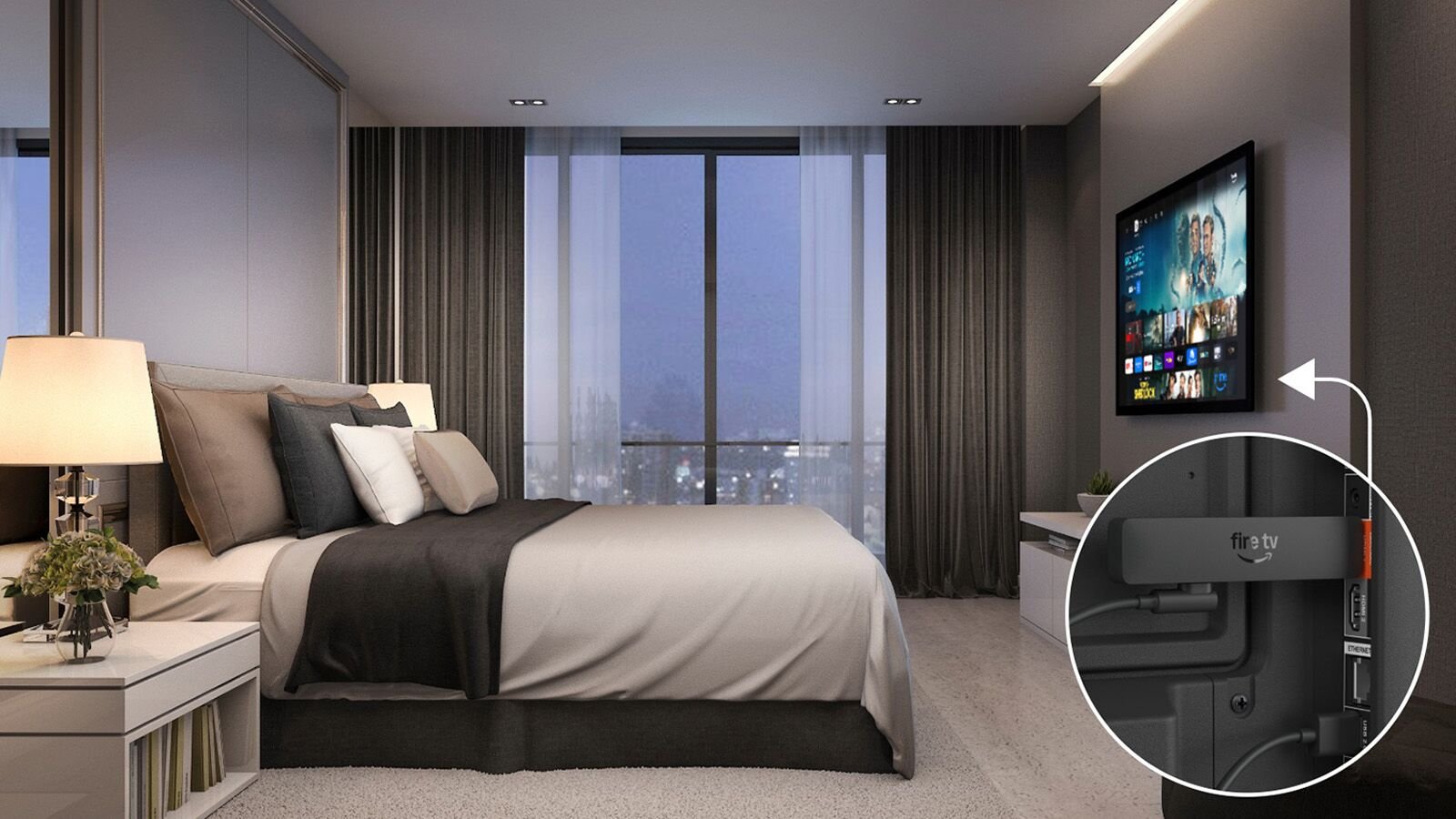
Amazon’s Direct Power design lets the new stick draw power from a TV’s USB port using the included cable. A USB-C cable and suitable wall adapter offer an alternative. This is attractive when you would rather keep another box off the TV stand.
It is also useful when packing light. Take the remote and power cable, and check your destination’s HDMI access and Wi-Fi arrangements before depending on it for a trip.
3. You can match the device to the screen you actually own
Fire TV Stick HD is a Full HD streamer. If you are keeping a 1080p bedroom television, a more expensive device cannot turn its panel into a 4K display. Spending for features you will actually use can make more sense than automatically buying the most powerful box.
The 2026 model adds Wi-Fi 6 and has 8GB of storage, according to Amazon’s specifications. Wi-Fi 6 is a connectivity feature, not a promise that every stream will load faster; your router, signal, internet service, and app still matter.
Fire TV Stick HD vs. three competitors
Roku is the closest like-for-like HD alternative here. Google and Apple offer more capable 4K boxes, so their inclusion helps answer whether you need to move beyond a basic stick.
| Device | Why choose Fire TV HD instead? | Why choose the competitor? |
|---|---|---|
| Roku Streaming Stick HD | Alexa through the Fire TV remote and a familiar Amazon environment | AirPlay support or a preference for Roku’s platform |
| Google TV Streamer (4K) | A behind-the-TV stick for a basic HD setup | 4K, 32GB storage, built-in Ethernet, and a Thread border router |
| Apple TV 4K | A compact Alexa option when premium hardware is unnecessary | 4K Dolby Vision, A15 Bionic, and a rechargeable Siri Remote |
Fire TV Stick HD vs. Roku Streaming Stick HD
Both target HD televisions. Roku also powers from a TV, includes a voice remote with TV controls, and supports AirPlay. It works with Alexa through an Alexa-enabled device, too. Fire TV’s advantage is the direct Alexa experience through its own remote—not exclusive access to voice search or USB power.
Our recommendation: choose Fire TV if Alexa is the deciding factor. If both platforms have your essential apps and you have no ecosystem preference, compare current offers. Roku could be the better buy on the day. Check Roku’s official features and offers.
Fire TV Stick HD vs. Google TV Streamer (4K)
Google’s box offers 4K HDR, Dolby Vision, 32GB of storage, and built-in Gigabit Ethernet. It also supports Matter and works as a Thread border router. Those are meaningful extras for a connected living room; a certified HDMI cable is sold separately.
Fire TV HD makes the stronger case when you simply want a small Alexa streamer behind an HD television. Google’s extra capabilities are easier to justify when the device will serve as your main entertainment and smart-home hub. See Google’s specifications.
Fire TV Stick HD vs. Apple TV 4K
Apple TV 4K pairs an A15 Bionic chip with 4K Dolby Vision support and a rechargeable Siri Remote. It uses a separate power cord and requires an HDMI cable, sold separately.
For a lightly used guest-room TV, ask whether those extras solve a real problem. Fire TV HD is the more compact Alexa option; Apple is worth considering when its premium features match your main viewing setup. This comparison does not establish that Fire TV is faster than Apple’s hardware. See Apple’s specifications.
Fire TV Stick HD vs 4K: which should you buy for an older TV?
The main difference between Fire TV Stick HD and a 4K model is the output resolution. An HD television cannot display a native 4K picture. For a 1080p screen you intend to keep, the HD model can be a sensible choice if it supports your apps and costs meaningfully less.
However, a 4K streamer can still be worth buying for an HD television when the price gap is small, you need a feature available on that exact model, or you plan to upgrade the TV. Confirm display compatibility before buying. Amazon sells several 4K variants, so compare the named model instead of treating every “4K Fire Stick” as identical.
Five things to check before buying
- Match the generation. This guide covers the 2026 HD model. Older listings with similar names may describe different hardware.
- Check your TV’s resolution. If it is 4K—or you plan to replace it soon—compare 4K streamers first.
- Check your essential apps on this exact model. Amazon lists the 2026 HD stick as running Vega OS. Do not assume an app or installation guide for an older Android-based Fire TV applies.
- Budget for content separately. Buying a streamer does not include every streaming service, live sports package, or rental.
- Compare total checkout costs. Look at discounts, any required accessories, and delivery rather than relying on launch prices.
Frequently asked questions
Is Fire TV Stick HD better than Roku?
For someone who wants Alexa directly on the streaming remote, it can be. Roku remains a competitive HD alternative, especially for AirPlay users. Your preferred controls, essential apps, and current prices should decide.
Does it make an older TV smart?
It adds its own streaming interface through HDMI. Check that your television has a usable HDMI input, that you can power the stick, and that you have a suitable internet connection.
Is the Fire TV Stick HD a 4K streamer?
No. Buy a 4K model if 4K output is a requirement. A specification mentioning a supported video codec does not by itself establish the device’s display output resolution.
How does Fire TV Stick HD get its power?
The 2026 model supports USB power through the television using its included cable. Amazon also describes a USB-C cable and wall adapter as an alternative. Check the exact generation and follow its supplied power instructions; advice for an older stick may differ.
Is Fire TV Stick HD a good choice for an older HD TV?
That is one of the strongest use cases: an existing HD screen, straightforward streaming needs, and a preference for Alexa. Confirm your must-have apps before ordering.
Our pick for the right household
The Fire TV Stick HD is most compelling when it solves a specific problem: giving an older TV a compact streaming upgrade that fits your Alexa habits. That is a stronger reason to buy than a blanket claim that it beats every rival.
Sources checked October 6, 2026: Amazon’s product listing, announcement and device specifications; Roku’s Streaming Stick product page; Google Store specifications; Apple technical specifications. Product features, availability, and offers can change. Featured product image: Amazon / About Amazon.